AI image quality workflow

AI Image Upscaler Online for Old Photos and Keepsakes

Increase image resolution for old family photos and meaningful memories you want to save, share, or print.

Upload Image

Overview

Fotopia is built for people who need clearer, larger output from photos that started too soft or too small. It is especially useful when you want better resolution for keepsakes, albums, framed prints, or digital family archives.

Why This Workflow

Low-resolution photos can make important memories harder to preserve or print. Fotopia focuses on making those files more usable by improving apparent detail for bigger and clearer output.

Before and After Upscaling

See how a softer memory photo can become more usable for printing and long-term keeping.

Proof section

Memory photo prepared for larger keepsake output

Original issue: The original image looks too soft when enlarged and loses definition around faces and edges.

Improved result: Upscaling helps details read more clearly so the photo is easier to keep, share, or print.

Recommended use: Recommended for old family photos, scanned albums, and keepsake reprints.
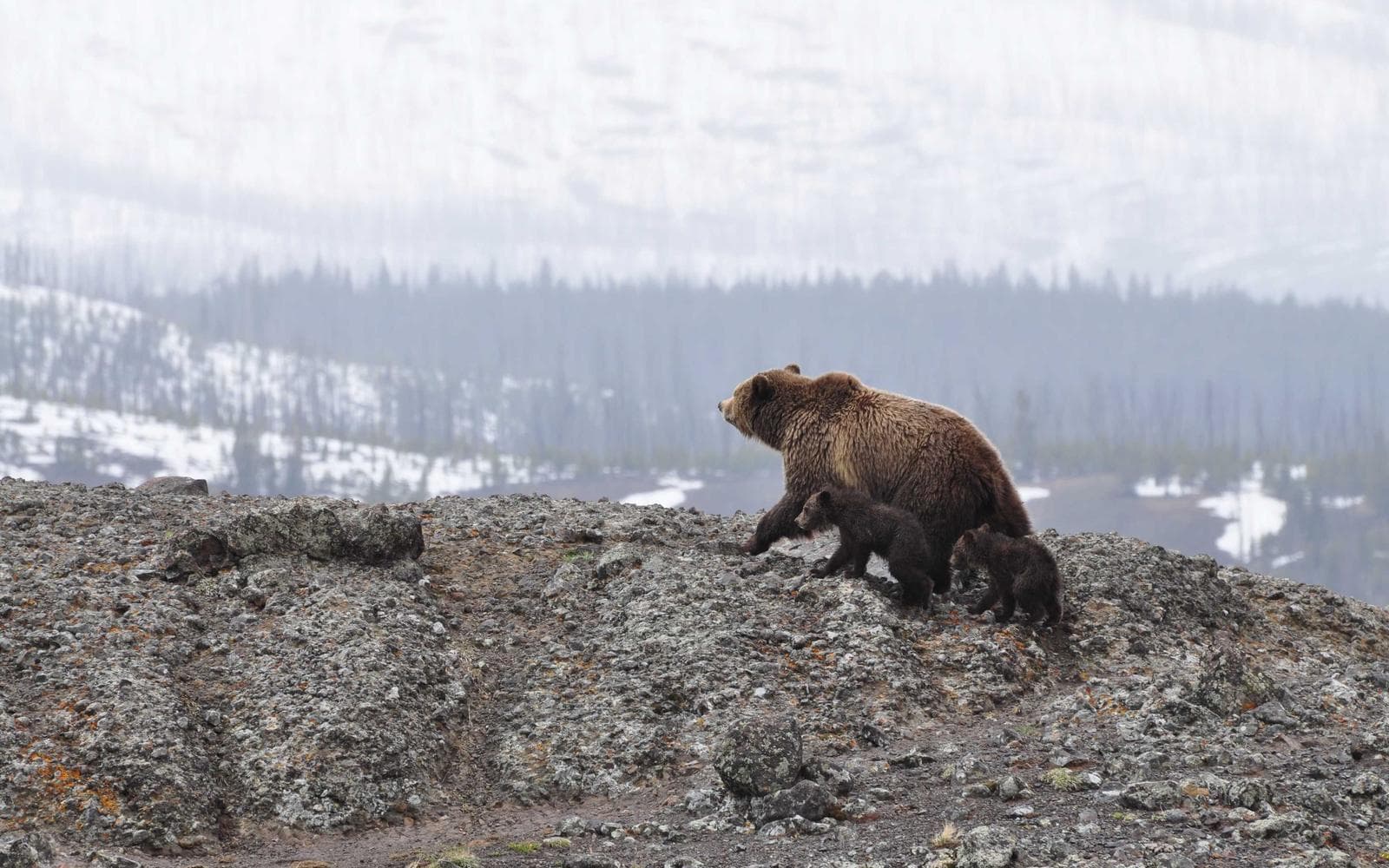
Old photo after AI upscaling with clearer detail
Low-resolution old photo before AI upscaling
BeforeAfter

Benefits

Increase image resolution

Create larger, more usable output from softer source files without opening a desktop editor.

Support print-ready keepsakes

Prepare photos for albums, frames, memory books, and other personal print formats.

Preserve important details

Help faces, expressions, and small visual cues stay readable in larger output.

Improve old photo scans

Make scanned albums and older prints more practical for digital storage and sharing.

Best Fits for Upscaling

Use case illustration for old family photo upscaling

Old family photos

Upscale faded or low-resolution family photos so faces and details remain usable when revisited.

Use case illustration for print-ready keepsake photo preparation

Album and frame prints

Prepare photos for albums, framed keepsakes, and thoughtful gifts where larger output is helpful.

Use case illustration for scanned album image upscaling

Scanned album pages

Improve smaller scans so old album photos are easier to archive and share with family.

Use case illustration for low-quality phone photo upscaling

Low-quality phone photos

Make older digital photos more usable when the original resolution is not enough anymore.

Simple Upscaling Workflow

  1. 1

    Step 1

    Upload a low-resolution photo

    Start with a memory photo, old scan, or low-quality image that needs a larger usable version.

    Upload a low-resolution photo process illustration
  2. 2

    Step 2

    Run AI upscaling

    Fotopia increases the output size while aiming to preserve cleaner edges and perceived detail.

    Run AI upscaling process illustration
  3. 3

    Step 3

    Preview the larger result

    Review whether the enhanced image works for sharing, archiving, or printing before downloading.

    Preview the larger result process illustration

FAQ

What is AI image upscaling?

AI image upscaling increases output size while trying to preserve or improve the visual clarity of the original image.

Can I upscale photos for printing?

Yes. This workflow is designed to improve resolution for albums, frames, and personal keepsakes.

Is upscaling the same as sharpening?

No. Upscaling focuses on larger output, while sharpening focuses more narrowly on improving clarity and edges.

Will this make every image print-ready?

Not always. Final print suitability still depends on the source image, placement size, and how much detail remains in the original.

Can I use this for old family scans?

Yes. Old family scans are a core use case when the photo needs clearer detail at a larger size.

What output sizes should I expect?

The tool is intended for higher-resolution output and clearer enlargement, with practical gains depending on the source file.

Related Tools

Choose the workflow that best matches the problem you are solving right now.

Upscale your next memory photo for clearer, larger output

Upload Image