Photos worth keeping

Restore important photosfor

Rescue blurry, soft, or low-quality shots that still mean everything.

  • Create a free account to start
  • Preview before download
  • Built for memory restoration
Blurry memory photo after restoration with clearer detail
Blurry memory photo before restoration
BeforeAfter

Featured use case

Blurry Memories

Fotopia helps recover a cleaner, more usable version that still feels true to the original memory.

Upload the photo you want to keep

Drop in a blurry memory or old scan and preview a clearer restored result before downloading.

Restore Preview
Restored preview appears here
  • Supports JPG, PNG, and WebP
  • Up to 10MB per image
  • No complex editing required

See the Difference

Compare how Fotopia restores blurry memories, old family photos, and photos you want to prepare for printing.

Memory restoration

Blurry Memories

Original issue: An important moment was captured, but softness or motion blur made the photo feel unusable.

Improved result: Fotopia helps recover a cleaner, more usable version that still feels true to the original memory.

Recommended use: Best for family moments, travel photos, pets, and candid shots.

Blurry memory photo after restoration with clearer detail
Blurry memory photo before restoration
BeforeAfter

Restore clarity

Old Family Photos

Original issue: Age, fading, or low-quality scanning reduced facial clarity and visible detail.

Improved result: Enhancement helps old photos feel easier to revisit, preserve, and share.

Recommended use: Best for family archives, scanned albums, and old portraits.

Old family photo scan after restoration with improved clarity
Old family photo scan before restoration
BeforeAfter

Keepsake quality

Ready to Print

Original issue: The photo matters, but it is not clear enough yet for albums, frames, or keepsakes.

Improved result: Restoration makes the image cleaner and better suited for printing or personal display.

Recommended use: Best for reprints, gifts, memory books, and framed photos.

Meaningful photo after print-ready restoration
Meaningful photo before print-ready restoration
BeforeAfter

Why People Trust Fotopia for Memory Restoration

Focused capabilities that help restore meaningful photos without overcomplicating your workflow.

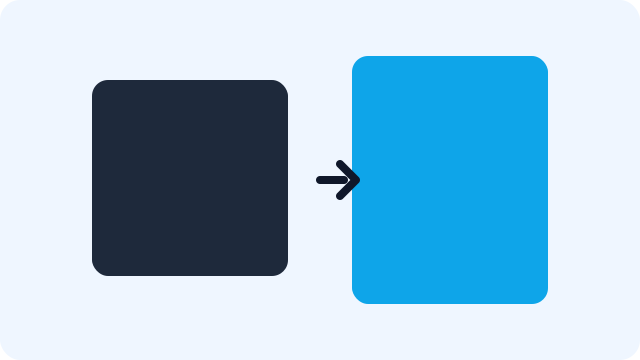
Illustration showing image upscaling from smaller to larger resolution

Increase Resolution

Make small or low-quality memory photos more usable for saving, sharing, and printing.

Illustration comparing blurry and clearer image quality

Reduce Blur

Improve soft photos so important faces, expressions, and details are easier to see again.

Illustration highlighting recovered details and edges

Recover Detail

Bring back clearer edges and small visual cues that help photos feel more present.

Illustration showing noisy image area cleaned into smoother output

Clean Up Noise

Reduce distracting grain and compression noise for cleaner before-and-after improvements.

Illustration representing fast image processing speed

Fast Processing

Go from upload to preview quickly when you want to check whether a photo can be saved.

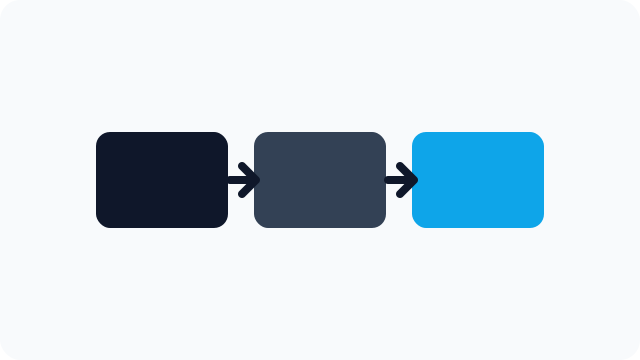
Illustration of simple three-step image workflow

Simple Workflow

Upload, restore, and download in one browser-based flow without complicated editing.

Built for Photos Worth Keeping

Built around real photo situations people care about most, from old scans to keepsakes.

Blurry Moments

Restore photos that are slightly soft, shaky, or low quality but still worth keeping.

Blurry family memory enhancement example

Old Scans

Improve faded family photos, scanned albums, and older printed pictures.

Old family scan restoration example

Keepsakes

Prepare restored photos for albums, frames, gifts, and personal archives.

Photo prepared for printing and keepsakes

Low-Quality Digital Photos

Help older phone photos and compressed images look cleaner when they are still worth keeping.

Older phone photo improvement example

Real Stories from People Saving Photos They Love

Quick to use, easy to love. Real feedback from people restoring photos they did not want to lose.

Portrait avatar for family scrapbook user

Family scrapbook user

Parent restoring old photos

“Our old birthday photos were super soft. I uploaded them in minutes, and now they look good enough for a family scrapbook.”

Portrait avatar for parent photo keeper

Parent photo keeper

Family memory restorer

“I had blurry park photos of my kids that I thought were gone. Fotopia brought back enough detail to print and frame.”

Portrait avatar for album organizer

Album organizer

Family album maker

“I love that it feels simple and fast. I can fix old family shots without opening complicated editing apps.”

Portrait avatar for pet photo user

Pet photo user

Pet Parent

“The early puppy photos from my old phone were noisy and blurry. After restoring them, they finally look share-worthy again.”

Portrait avatar for family archive helper

Family archive helper

Old photo scanner

“I cleaned up old reunion pictures and posted them in our family chat. Everyone was asking how the photos looked so clear.”

Portrait avatar for memory book maker

Memory book maker

Keepsake printer

“I use Fotopia before making photo books. It helps me rescue imperfect shots instead of deleting memories I care about.”

Plans for Meaningful Photo Restoration

Try Fotopia on a photo you care about, then upgrade when you need more restorations, better output, or more flexibility.

Free

Try Fotopia on a photo you care about

For trying Fotopia on a few meaningful photos before committing

$0/mo

  • Standard restoration
  • Up to 10MB uploads
  • Limited daily restorations
  • Preview before download
  • Free account to start

Best for: Trying Fotopia first

Start Free

Pro

For ongoing personal photo restoration

For people who restore photos often and want cleaner output with fewer limits

$12/mo

  • Better output for saving and printing
  • Faster previews and downloads
  • More restorations each month
  • No watermark
  • Priority processing

Best for: Ongoing personal photo restoration

Upgrade to Pro

Credits Pack

For occasional restoration projects

For one-off restoration batches, gifts, and old photo projects without a subscription

From $6.99

One-time purchase for occasional restoration projects.

  • One-time purchase
  • No subscription required
  • Great for old photo batches, albums, and gifts
  • Use anytime within 12 months

Typical Packs

20 restorations

$6.99

50 restorations

$14.99

120 restorations

$29.99

Best for: Occasional restoration projects

Buy Credits

FAQ

Quick answers to the most common questions before you start restoring your photos.

What kinds of photos work best?

Fotopia works best on meaningful photos with mild to moderate blur, soft scans, faded old prints, and lower-quality digital images.

Will it fix every blurry photo?

No. Mild and moderate blur usually improve best. Very heavy blur or severe damage may still have visible limitations.

Do I need an account?

Yes. Create a free account to access restoration and keep your workflow simple and secure.

Is there a free plan?

Yes. Start with the Free plan to try Fotopia on a few meaningful photos before upgrading.

Can I print restored photos?

Yes. Restored images can work well for albums, frames, and keepsakes when the result is clear enough for your intended print size.

Are my uploaded photos stored?

Uploads are processed to generate a restored result, and temporary files are removed based on our retention policy in the Privacy page.

Read Full FAQ

Restore the Photo You Thought You Lost

Upload a meaningful photo and see if Fotopia can bring it back as a clearer version worth keeping.

Restore a Photo